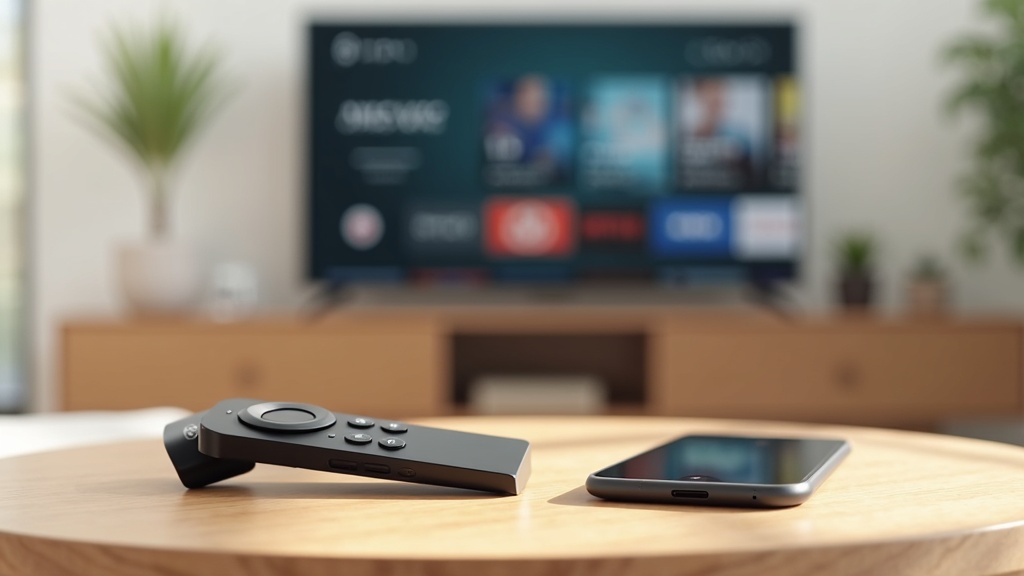
Your Amazon Fire TV Stick 4K Max is a powerful streaming tool, but without a VPN, you’re missing out on privacy and access. Setting up a VPN on your Fire Stick unlocks geo-restricted content, prevents ISP throttling, and keeps your streaming habits private. This guide walks you through the entire setup process, step by step.
- How to install a VPN directly from the Amazon Appstore
- Step-by-step configuration for secure streaming
- Tips to optimize your VPN for the best performance
Why You Need a VPN on Your Fire TV Stick 4K Max
Using a VPN on your Fire TV Stick isn’t just for tech enthusiasts—it’s a practical upgrade for any streamer. Internet service providers can track your activity and even slow your connection during peak streaming hours. A VPN encrypts your data, making it impossible for your ISP to see what you’re watching. Plus, you can access international libraries on platforms like Netflix, BBC iPlayer, or Hulu that aren’t available in your region.
Without a VPN, you might also be exposed to risks on public or unsecured networks. Whether you’re traveling or just using your home Wi-Fi, a VPN adds a crucial layer of security. It’s one of the easiest ways to take control of your digital privacy.
How to Install a VPN on Fire TV Stick 4K Max
Installing a VPN on your Fire TV Stick 4K Max is straightforward, especially if your chosen provider has an app available on the Amazon Appstore. Here’s how to do it:
- From the home screen, navigate to the search icon (magnifying glass) and type the name of your VPN—for example, ExpressVPN or NordVPN.
- Select the app from the search results and click Download or Get.
- Once installed, open the app and log in with your credentials.
- Connect to a server location of your choice—pick one close to you for speed, or in another country to access region-locked content.
If your VPN isn’t available on the Appstore, you may need to sideload the app using the Downloader app. However, for most users, choosing a VPN with native Fire TV support is the simplest and safest method.
Best VPNs for Fire TV Stick 4K Max
Not all VPNs work seamlessly with Fire TV devices. The best options offer dedicated apps, fast speeds, and reliable unblocking capabilities. Here are a few top picks:
- ExpressVPN: Known for its speed and ease of use, with a dedicated Fire TV app.
- NordVPN: Offers strong security features and excellent streaming performance.
- Surfshark: A budget-friendly choice with unlimited simultaneous connections.
Best VPN this month: ExpressVPN is our top recommendation for Fire TV Stick users thanks to its intuitive interface and consistent performance.
Configuring Your VPN for Optimal Streaming
Once your VPN is installed, a few quick tweaks can enhance your streaming experience. First, always choose a server that’s geographically close to you to minimize speed loss. If you’re trying to access content from a specific country, select a server located there—for example, a UK server for BBC iPlayer.
Most premium VPNs offer a “Smart DNS” or streaming-optimized feature. Enable this if available, as it can improve connection stability when accessing services like Netflix or Disney+. Also, make sure your VPN is set to automatically connect on startup so you’re always protected.
Troubleshooting Common VPN Issues
Occasionally, you might run into issues like slow speeds, connection drops, or trouble accessing certain apps. Here’s how to solve them:
- Slow speeds: Try switching to a different server or using a wired Ethernet adapter for your Fire Stick.
- App won’t load: Restart your Fire TV Stick and ensure your VPN app is updated.
- Can’t access streaming services: Some platforms actively block VPNs. If one server doesn’t work, try another—most top VPNs offer dedicated streaming servers.
If problems persist, reach out to your VPN’s customer support. Reputable providers offer 24/7 live chat to help you get back to streaming quickly.
Stream Safely and Without Limits
Setting up a VPN on your Amazon Fire TV Stick 4K Max is a simple process that brings major benefits: better privacy, fewer restrictions, and smoother streaming. With the right VPN, you can enjoy a world of content without compromising on security.
Ready to enhance your streaming experience? Get started with ExpressVPN today and unlock full access to global libraries while keeping your data private.
For more tips on optimizing your devices, check out our guides on using VPNs on various devices and streaming securely.





Join the discussion
Have a question or a fix to add? Share it below.